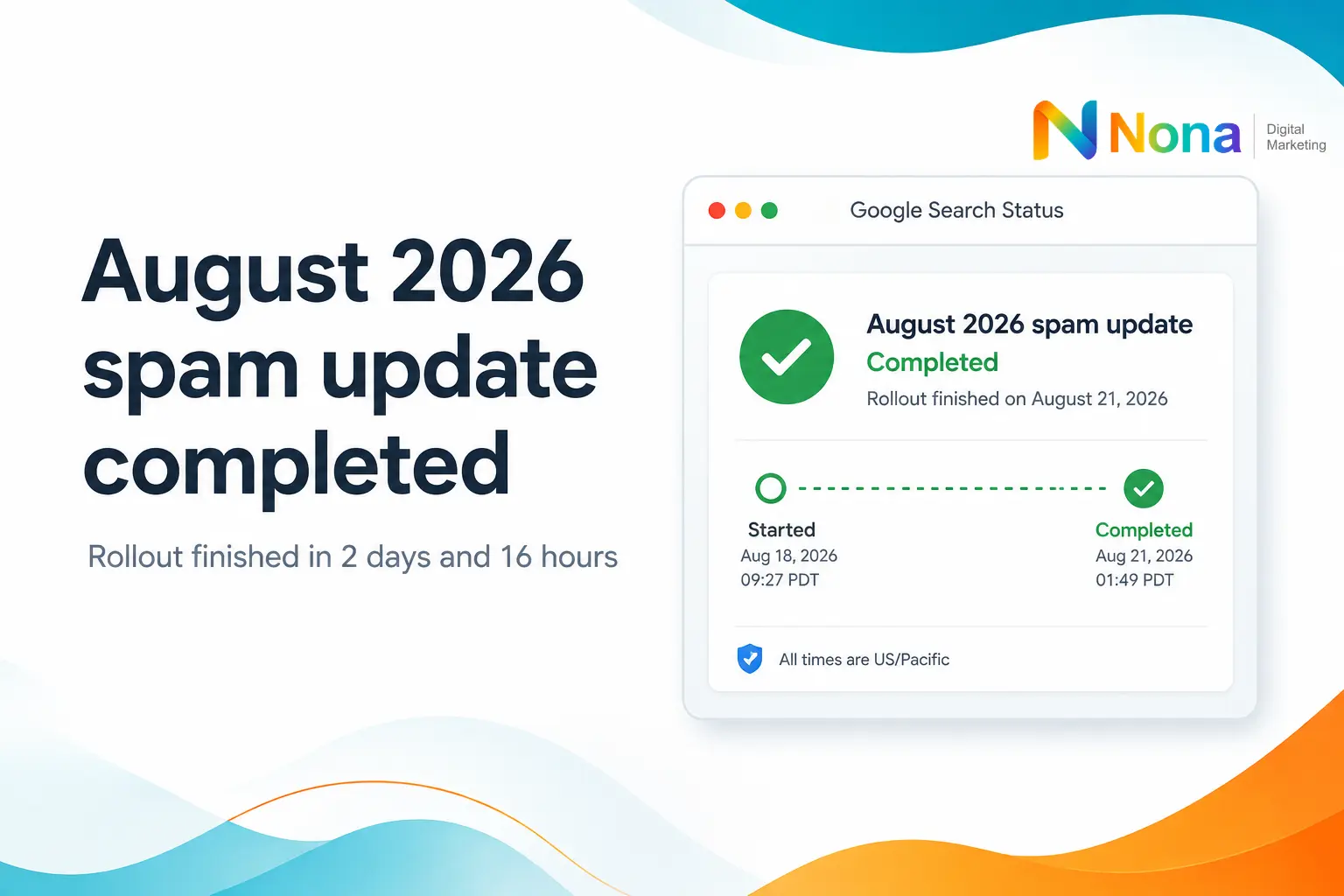
Google’s August 2026 spam update is complete, and the rollout took just three days, or more precisely, 2 days and 16 hours. That was very close to the previous June 2026 spam update, which took 2 days and 1 hour to complete.
Google’s spam updates in 2026 have generally been relatively quick, especially compared with broader core updates, which can take much longer to fully roll out.

Now comes the part that actually matters: figuring out whether the update had any impact on your website.
If you are already refreshing Google Search Console every few hours, try not to read too much into the first movements you see. Traffic and rankings can fluctuate naturally from day to day, and changes during an update are not always caused by the update itself.
The best thing to do now is give the data a few days to settle and then run a proper before-and-after comparison.
Table of Contents
How to check if Google’s August 2026 update affected your website?
Google Search Console performance reports should be your starting point for measuring changes in clicks, impressions, rankings, and search visibility.
Start with Google Search Console and compare a period before the update with a similar period after it.
Look at:
- Organic clicks
- Impressions
- Average position
- Important queries
- Top landing pages
- Sections or directories of the site
The key is not to look only at your total traffic.
For example, imagine your organic clicks dropped by 12%. That number alone does not tell you much. You need to find out where the decline actually happened.
Did a specific group of articles lose visibility?
Did product or service pages drop?
Was the decline concentrated in one directory?
Did your branded traffic remain stable while non-branded searches fell?
Those details are much more useful when trying to understand whether the spam update was responsible.
The same applies if your traffic increased.
A gain after a spam update does not necessarily mean Google directly rewarded your site. It may simply mean that some competitors lost visibility and your pages moved up as a result.
That is why page-level and query-level analysis matters.
Don’t Make Big SEO Changes Too Quickly
One of the biggest mistakes after a Google update is reacting immediately.
If traffic drops for a day or two, that does not mean you should start deleting content, rewriting hundreds of pages, changing your internal linking strategy, or rebuilding the site.
First, make sure the change is real.
Compare performance against normal fluctuations. Check whether the movement is consistent across several days and whether it affects specific types of pages.
If you do find a clear pattern, then you can start investigating what may have caused it.
For a spam update, it is especially worth reviewing areas such as:
- Thin or low-value content
- Large amounts of very similar pages
- Content created mainly to rank rather than help users
- Aggressive link-building tactics
- Automatically generated pages with little original value
- Misleading titles or page elements
- Scaled content strategies that prioritize volume over quality
The goal is not to panic and “fix everything.” It is to identify whether there is a real problem and, if so, where it is.
What to check in Google Search Console after the spam update
What to check in Google Search Console after the spam update
A simple before-and-after analysis is usually the easiest way to separate normal SEO noise from a meaningful algorithm impact.
Choose comparable date ranges, check the same pages and queries, and look for unusual changes.
If one section of the site suddenly loses a large amount of visibility while the rest remains stable, that is much more significant than a small sitewide fluctuation.
Use a before-and-after comparison
You should also compare your SEO data with other factors.
Did seasonality change?
Was there a tracking issue?
Did competitors publish something stronger?
Did search demand fall?
Did you make technical or content changes around the same time?
Not every ranking drop that happens near a Google update is caused by Google’s update.
Should you make SEO changes right away?
For now, the best move is simple: wait a few days, collect enough data, and analyze your site calmly.
Do not make decisions based on one day of rankings.
Once you have a clearer picture, compare performance before and after the August 2026 Spam Update and focus on the pages, queries, and sections that changed the most.
If everything looks normal, there may be nothing to do.
If you see a meaningful gain, try to understand where it came from.
What to do if your organic traffic dropped after the August 2026 Google spam update
If you see a significant decline, investigate the pattern before making any major changes.
The update may be finished, but the useful part starts now: understanding what actually happened to your site.
If you noticed a drop in traffic or rankings after the August 2026 Google Spam Update and you are not sure what caused it, we can help.
Nona Digital Marketing can analyze your website, compare performance before and after the update, and identify which pages, keywords, or sections were affected. We also look beyond the update itself to rule out technical issues, content problems, tracking changes, seasonality, and other factors that may be influencing your organic performance.
The goal is not to make random changes or chase the algorithm. It is to understand what actually happened and build a clear plan based on real data.
If your traffic has dropped, your rankings are unstable, or you simply want a second opinion on your SEO performance, get in touch with our team for an SEO analysis.
We’ll help you understand what changed, what needs attention, and what your next steps should be.
Need help with SEO?
SEO consulting and monthly SEO plans.